The Silkland 54Gbps 16K DisplayPort Cable 2.1 review is for PC owners choosing a longer cable for a high-resolution or high-refresh-rate monitor.
Its listed bandwidth, display modes, and braided construction make it worth considering, but the graphics card and display must also support the mode you want.
Silkland DP Cable Review Summary
The quick verdict
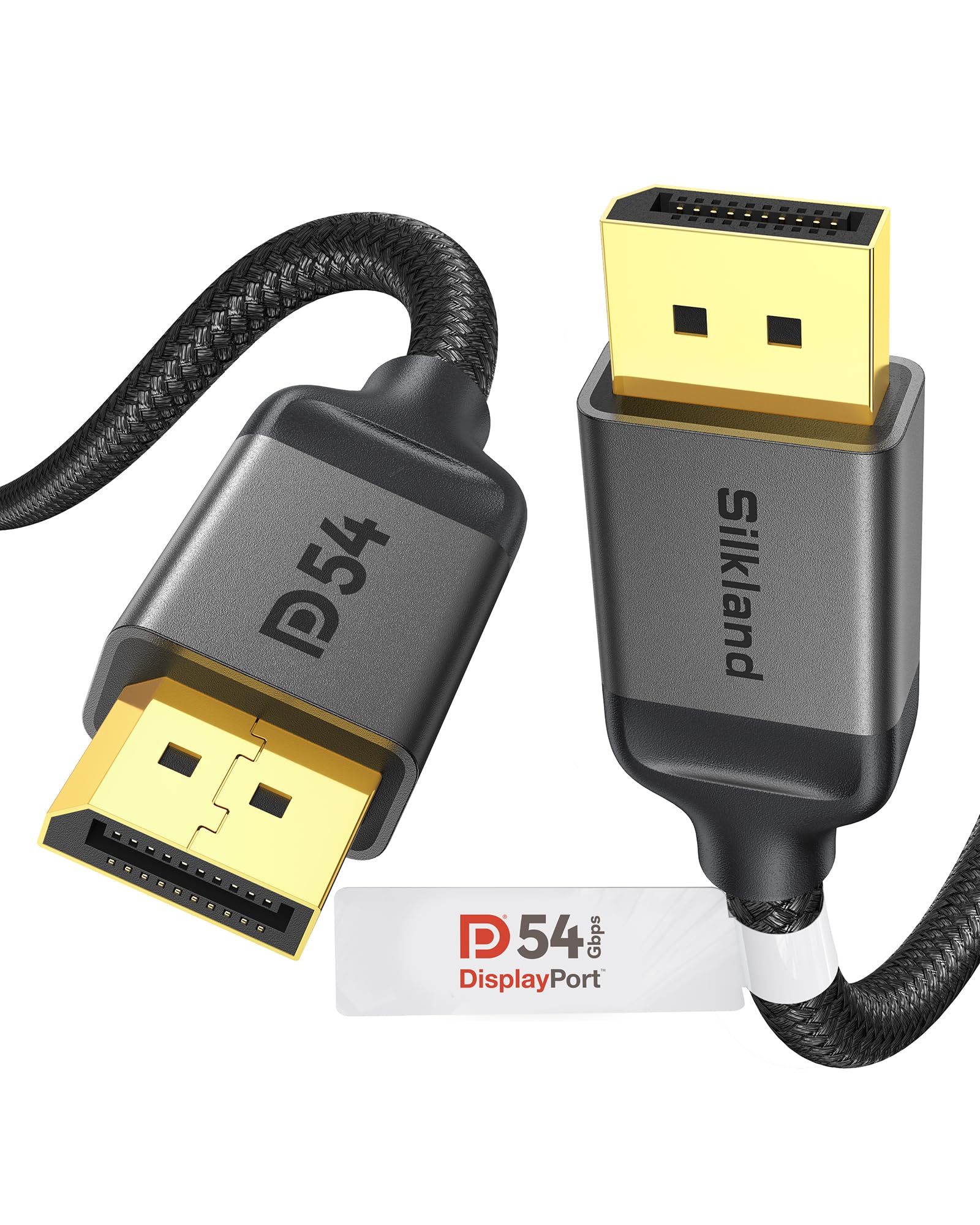
7,000+ ratings
Read Amazon ReviewsSilkland 54Gbps DisplayPort Cable
A 10-foot DisplayPort cable for desktop and monitor setups that need generous reach and support for high refresh rates, subject to device compatibility.
- DisplayPort 2.1/2.0 cable with stated bandwidth of up to 54Gbps and a 10-foot length.
- Listed display support includes 16K at 60Hz with DSC, 8K at 120Hz, 4K at up to 240Hz, and 2K at 360Hz.
- Supports Dynamic HDR, HDCP 2.2, DSC 1.2a, 3D stereo imaging, and multistream transmission.
- Backward compatible with DisplayPort versions 2.0, 1.4, 1.3, 1.2, 1.2a, 1.1, and 1.0.

Pros
- Long 10-foot length can simplify routing across a desk or around a monitor arm.
- A wide range of listed resolution and refresh-rate combinations suits buyers planning for demanding displays.
Consider before buying
- The highest listed modes depend on the capabilities of the graphics card, monitor, and display settings; the cable alone cannot ensure them.
- A 10-foot cable may be more length than needed for a compact setup, where extra slack can complicate routing.
Read the full review summary
This 10-foot, male-to-male DisplayPort cable is designed to connect a compatible desktop or laptop to a monitor.
It supports up to 54Gbps bandwidth and lists modes including 16K at 60Hz with DSC, 8K at 120Hz, and 4K at up to 240Hz.
Those are ceiling figures, not a guarantee that every connected setup will reach them: the source, monitor, settings, and use of DSC all matter.
Its broad backward compatibility, support for multistream transmission, and pass-through audio make it suitable for gaming desks and multi-display arrangements. The length and flexible no-buckle connector design may also help with routing and unplugging in tight spaces.
Buyers should match the cable’s capabilities with the ports and target resolution and refresh rate on both devices.
The buying factors
Silkland DP Cable Scorecard
Editorial scores reflect listed features and buyer fit; they are not laboratory measurements or customer ratings.
Bandwidth headroom
The stated 54Gbps bandwidth and support for demanding display modes leave room for capable systems, with the highest listed modes depending on DSC and compatible hardware.
Display mode range
The listed range spans 16K at 60Hz with DSC through high-refresh 4K and 2K modes, giving buyers several targets to check against their setup.
Compatibility flexibility
Backward compatibility across several DisplayPort generations is useful when connecting newer and older equipment, though it does not upgrade the capabilities of either device.
Cable reach
Ten feet offers room for routing between a PC and monitor when a short desk cable would be inconvenient.
Build and handling
Triple shielding, a tinned-copper conductor, braided outer covering, and a no-buckle connector design speak to practical construction and easier removal.
Setup clarity
The many supported modes are useful, but buyers need to confirm which resolution and refresh rate their specific source and display can deliver together.
Key Features and Specifications of Silkland DP Cable
- DisplayPort 2.1/2.0 cable with stated bandwidth of up to 54Gbps and a 10-foot length.
- Listed display support includes 16K at 60Hz with DSC, 8K at 120Hz, 4K at up to 240Hz, and 2K at 360Hz.
- Supports Dynamic HDR, HDCP 2.2, DSC 1.2a, 3D stereo imaging, and multistream transmission.
- Backward compatible with DisplayPort versions 2.0, 1.4, 1.3, 1.2, 1.2a, 1.1, and 1.0.
- Male-to-male DisplayPort connectors and pass-through for uncompressed 7.1, 5.1, and 2.0-channel digital audio.
- 28AWG tinned-copper conductor, triple shielding, double nylon braid, and 24K gold-plated connectors.
- No-buckle plug design with a groove intended to make removal easier where connector access is limited.
Pros and Cons of Silkland DP Cable
Pros
- Long 10-foot length can simplify routing across a desk or around a monitor arm.
- A wide range of listed resolution and refresh-rate combinations suits buyers planning for demanding displays.
- Backward compatibility makes it practical for connecting equipment from different DisplayPort generations.
- Braided exterior, triple shielding, and no-buckle connectors address durability and handling considerations.
Consider before buying
- The highest listed modes depend on the capabilities of the graphics card, monitor, and display settings; the cable alone cannot ensure them.
- A 10-foot cable may be more length than needed for a compact setup, where extra slack can complicate routing.
- The broad set of resolution and refresh-rate figures requires buyers to check the exact mode supported by their specific devices.
Who Should Buy Silkland DP Cable?
Good fit
Consider this cable if your PC and monitor both use DisplayPort and you need extra reach between them. Its 10-foot length gives more flexibility for placing a tower away from the display or routing around desk equipment.
Before buying, check that the cable’s length suits your route and leaves enough slack without creating a snag-prone loop.
It is also a reasonable candidate for a high-refresh-rate display or a multi-monitor workspace, provided the source and displays support the modes you intend to use.
Confirm the supported resolution and refresh rate for each port, and whether DSC is required for your target mode. The listed audio pass-through and compatibility across older DisplayPort versions add flexibility for mixed-use systems.
The braided covering, triple shielding, tinned-copper conductor, and grooved no-buckle plug design may appeal if the cable will be connected and removed regularly or routed through a tight area.
Treat those details as construction features rather than a promise of a particular lifespan; careful routing and avoiding sharp bends remain sensible.
Who should skip it
Skip it if your devices lack DisplayPort ports or you need a cable with a connector type other than DisplayPort at both ends.
Look for a different length if your connection is very short and a 10-foot cable would leave awkward excess, or if your setup requires a specific resolution and refresh rate that your devices do not support.
Choosing the Silkland DP Cable for Your Display Setup
Check the whole signal path
The cable’s listed bandwidth and display modes describe what it is designed to support; the graphics card and monitor still set the practical ceiling.
Before purchasing, check both devices’ specifications for the exact resolution and refresh rate you plan to use, and whether that mode relies on DSC.
Backward compatibility lets the cable connect across older DisplayPort generations, but it does not add newer features to an older port.
Use the length to plan your routing
At 10 feet, the cable can accommodate a PC placed farther from the monitor or a route around desk furniture.
Measure the path, including movement for an adjustable monitor or standing desk, rather than estimating only the straight-line distance.
If the route is much shorter, consider whether the remaining slack can be managed neatly and kept clear of feet, wheels, or other moving parts.
Consider handling and build details
The double nylon braid, triple shielding, tinned-copper conductor, and gold-plated connectors are relevant details for a cable used in a busy desk setup. The no-buckle connector and groove are intended to make unplugging easier when access is constrained.
When connecting or removing it, grip the plug and route the cable without pulling on the cord; this helps avoid putting unnecessary strain on the connection.
Plan for audio and multiple displays
The cable supports uncompressed multichannel audio pass-through and multistream transmission, which can suit a monitor setup that carries both video and audio or feeds multiple displays.
The source, monitor, and operating-system settings determine how those features work in practice. If you are building a multi-screen arrangement, confirm the ports and supported display modes for every device before settling on the layout.
Alternatives to Silkland DP Cable
Computer DisplayPort Cables alternative
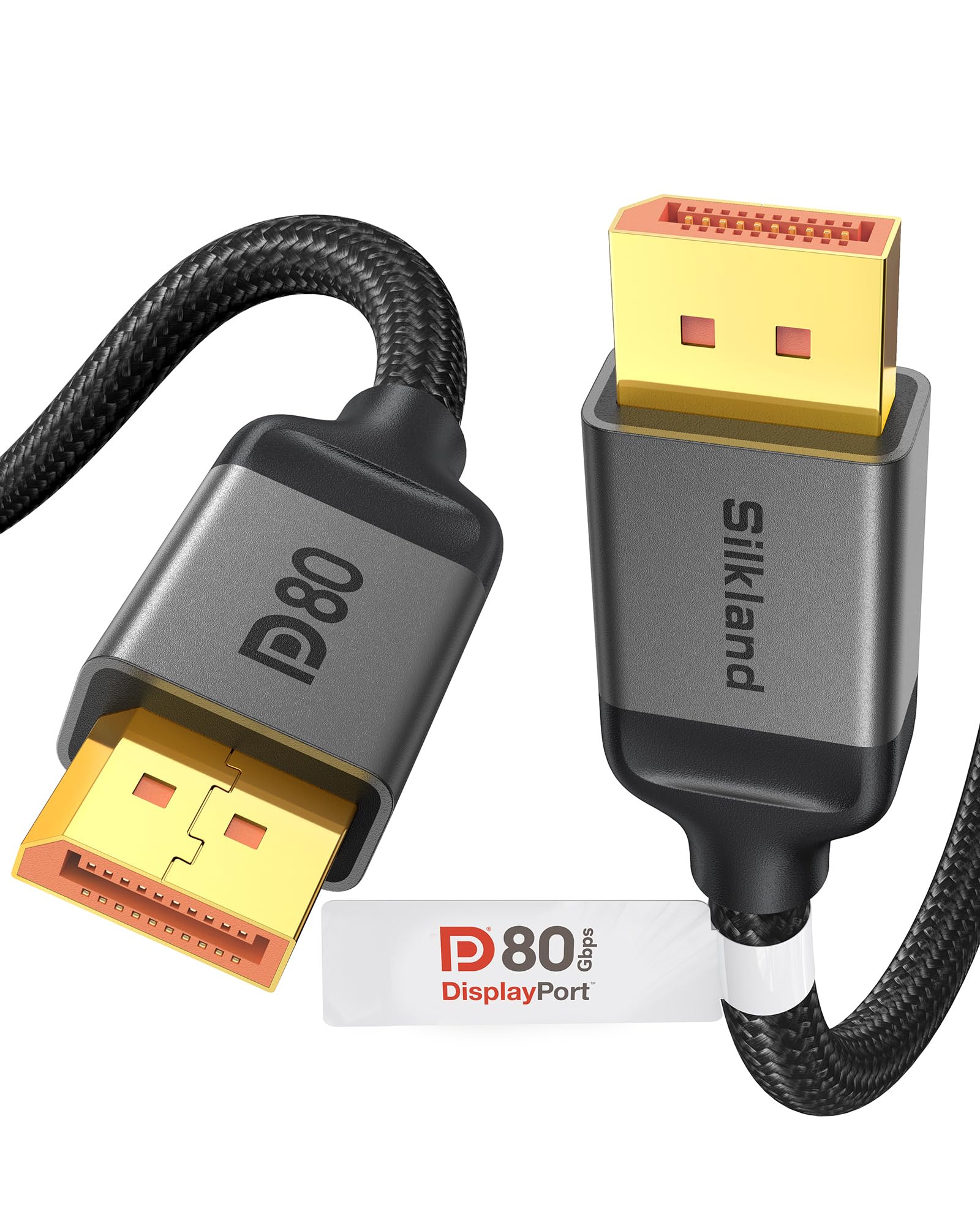
2,000+ ratings
Read Amazon ReviewsSilkland 80Gbps Short DisplayPort 2.1 Cable
Choose the main cable when you need a longer run and its listed modes match your equipment.
Consider the DP80 option for a short connection where its higher bandwidth and distinct high-refresh modes suit both devices; its shorter length makes it a different fit for desk placement.
- This 1.6-foot DP80 cable is listed at up to 80Gbps.
- Its description lists uncompressed 4K at 240Hz, 8K at 60Hz, and 2K at 540Hz, with higher modes such as 4K at up to 540Hz when DSC is enabled.
- It also specifies support for UHBR20 and HDCP 2.3.
- The 54Gbps cable is 10 feet long and lists high-refresh display modes including 4K at up to 240Hz and 2K at 360Hz.
Is Silkland DP Cable Worth It?
The Silkland 54Gbps DisplayPort Cable is worth considering when you need a 10-foot DisplayPort connection and your computer and monitor support the display modes you want.
Its backward compatibility, broad mode range, and practical construction details make it a versatile choice for a capable desktop setup.
Before ordering, verify the target resolution and refresh rate on both devices, including whether DSC is needed, and measure the cable route.
If the length and supported modes suit your setup, it is a sensible option; if your devices lack DisplayPort or need a different connector or cable length, choose a better-matched cable.
Your review at a glance
7,000+ ratings
Read Amazon ReviewsSilkland 54Gbps DisplayPort Cable
A 10-foot DisplayPort cable for desktop and monitor setups that need generous reach and support for high refresh rates, subject to device compatibility.
- DisplayPort 2.1/2.0 cable with stated bandwidth of up to 54Gbps and a 10-foot length.
- Listed display support includes 16K at 60Hz with DSC, 8K at 120Hz, 4K at up to 240Hz, and 2K at 360Hz.
- Supports Dynamic HDR, HDCP 2.2, DSC 1.2a, 3D stereo imaging, and multistream transmission.
- Backward compatible with DisplayPort versions 2.0, 1.4, 1.3, 1.2, 1.2a, 1.1, and 1.0.